


Kings mobile play – browser access, account portability and what works on a small screen
















Before you play on mobile
Kings runs entirely in your phone's browser – Safari, Chrome, Edge or Firefox – with no download required. You use the same account credentials on your phone as you would on a laptop, and your balance, bonus status and transaction history stay in sync across both. The operator's platform is built to scale down to a small screen without forcing you to install anything, which means you can reach the cashier, the live dealer lobby and your account settings from wherever you happen to be. That convenience does come with practical limits worth understanding before you commit to a session on a device you always carry.
Connection quality matters more on mobile than it does at a desk. A live blackjack hand interrupted by a dropped 4G signal is a frustrating experience, and restoring the session mid-round is not always seamless. Wagering through a bonus on a phone also means you are working against the same 10× requirement and £30 conversion cap as on desktop, but with a smaller screen to track your progress. Set deposit limits through your account settings before you start playing – the tool is identical on mobile, and applying it ahead of time is simpler than trying to locate the control mid-session.
How access works here
Reaching Kings from a phone is a two-step process: open your mobile browser, type the operator's own domain into the address bar, and log in with your existing credentials. The platform detects the smaller viewport and serves a layout optimised for touch – larger buttons, collapsible menus, a simplified header – without redirecting you to a separate subdomain or asking you to create a second account.
- Open Safari, Chrome or another mobile browser.
- Navigate to the operator's own site (the same address you would use on a computer).
- Tap the menu icon in the top corner and select 'Log In'.
- Enter your registered email and password.
- Once authenticated, you land on the mobile lobby with full access to your account.
If you do not yet have an account, you can register directly from the mobile site by tapping 'Join'. The form asks for the same details – name, date of birth, address, email – and age and identity verification is mandatory before you can deposit or access any real-money games. This is the same KYC process described in the operator's own terms: proof of ID (passport, driver's licence or national ID card) and proof of address (utility bill or bank statement dated within three months), uploaded via the account dashboard. On a phone, photographing documents with the device's camera is often quicker than scanning them at a desk.
The cashier and support on a phone
The mobile cashier supports the same payment methods as the desktop version: Visa Debit, Mastercard Debit, PayPal, Skrill and Neteller all work from a phone, each with a £10 minimum deposit and a £5 minimum withdrawal. The 1% withdrawal fee (capped at £3) applies identically across both platforms, and the operator's policy of transferring funds back to the method initially used to deposit holds on mobile as well. Processing times are unchanged – requests appear as 'Pending' and are transferred as soon as possible, though exact turnaround figures per method are not published.
| Method | Min deposit | Min withdrawal | Fee |
|---|---|---|---|
| Visa Debit | £10 | £5 | 1% up to £3 |
| Mastercard Debit | £10 | £5 | 1% up to £3 |
| PayPal | £10 | £5 | 1% up to £3 |
| Skrill | £10 | £5 | 1% up to £3 |
| Neteller | £10 | £5 | 1% up to £3 |
| Pay N Play (Trustly) | £10 | £5 | 1% up to £3 |
Customer support channels remain the same on mobile: live chat opens in a floating window that overlays the game lobby, and the contact form is accessible via the menu. Email support is handled at the operator's own address, and the 24/7 availability stated in the terms applies whether you are messaging from a phone or a laptop. Response quality is consistent across devices – the support team cannot see which platform you are using, only the content of your query.
Responsible gambling tools on a smaller screen
Deposit limits, net deposit limits, wager limits, loss limits, session limits and reality checks are all accessible through the mobile account dashboard, under the same 'Responsible Gambling' submenu as on desktop. Any reduction in limits takes effect immediately; any increase takes 24 hours, and that cooling-off window applies identically on mobile. Setting a session limit before you start playing is particularly useful on a phone – it is easier to lose track of time when the device is in your pocket, and a session-end notification forces a natural break. Self-exclusion, covering a minimum period of six months to five years across all ProgressPlay network sites, is initiated through the same interface and cannot be undone during the term.
What gets cramped on a small screen
The mobile layout prioritises the game window at the expense of peripheral information. On desktop, you might see your balance, active bonus progress, recent transactions and a list of promotions all at once; on a phone, each of those sits behind a collapsible menu, and switching between them interrupts the game view. Live dealer tables are playable on mobile – Pragmatic Play and other providers optimise their streams for smaller viewports – but the chat panel, bet history and side-bet options are often tucked into tabs that obscure part of the table layout when expanded.
Navigating the full 4,000+ game library on a touchscreen is slower than using a mouse and keyboard. The operator's platform includes category filters (slots, live dealer, table games, jackpots, bingo, scratch cards) and a search bar, but scrolling through hundreds of titles to find a specific slot is more cumbersome on a phone. Pinning favourites to your account helps – the 'Favourites' tab loads first on subsequent logins – but that feature requires you to have identified which games you want to return to during an earlier session.
Verification documents uploaded from a phone are occasionally rejected due to image quality. A photo taken in dim lighting, with glare across the passport page or text too small to read, will not pass the operator's checks, and you will need to resubmit. Using the phone's camera in good natural light, holding the document flat and ensuring all four corners are visible in the frame usually resolves this – but it is an extra step desktop users uploading scanned files rarely encounter.
Staying in control on a device you always carry
Playing from a phone removes the physical boundary that a desktop session creates. You finish a round of slots on the bus, check your balance in a queue, chase a loss while half-watching television – and the cumulative effect is harder to notice than a deliberate sit-down session. A few checks worth making before you start:
- Confirm you are on a secure connection. Public Wi-Fi at a café or airport is not encrypted, and logging into your account over an open network exposes your credentials.
- Double-check the domain in your browser's address bar. Phishing sites mimicking legitimate operators are common, and a single-letter typo can land you on a fake login page.
- Sign out when you finish. If the phone is shared with family or left unattended, an active session is an open door to your balance.
- Review your deposit and wager limits before the session, not during it. Adjusting them mid-play is possible, but waiting 24 hours for an increase to take effect is deliberate friction – use it.
Battery drain is real during extended play. Live dealer streams and animated slots both tax the processor, and a phone that dies mid-session drops your connection without saving your place. If you are playing on mobile for more than an hour, keep the charger nearby or accept that you are working within the device's remaining charge. A dropped session does not void an active bet – the operator's system logs incomplete rounds and settles them once you reconnect – but it is an avoidable interruption.
Responsible gambling
Gambling should remain a leisure activity, never a means of solving financial problems or a daily obligation. If playing from your phone becomes something you do automatically – filling idle minutes, chasing losses immediately after a bad round, or continuing past the point where it feels enjoyable – those are signs worth taking seriously.
Kings provides deposit limits, wager limits, loss limits, session limits, time-out periods (1 to 42 days) and self-exclusion (6 months to 5 years) through your account dashboard. Free, confidential support is available 24/7 through GamCare at gamcare.org.uk or by calling the National Gambling Helpline on 0808 8020 133. BeGambleAware (begambleaware.org) offers practical advice, and GamStop (gamstop.co.uk) is a free national self-exclusion scheme that blocks access across all licensed sites.
For device-level controls, Gamban (gamban.com) and BetBlocker (betblocker.org) both block gambling sites and apps across phones, tablets and computers. If you share a device with anyone under 18, parental-control software such as Net Nanny or Qustodio adds an extra layer of protection. You must be 18+ to access this content or to gamble with any operator.
This page is for information and marketing purposes only. We are not a betting or gaming operator of any kind. Access is restricted to persons aged 18 and over (18+). Free, confidential support with gambling is available at BeGambleAware.org.
Last updated:
Frequently asked questions
Can I download a Kings app for my phone?
Kings runs in your mobile browser – Safari, Chrome, Edge or Firefox – with no download required. You use the same account and access the same games as on desktop, and the platform scales down to fit a phone screen automatically.
Do deposits and withdrawals work the same way on mobile?
Yes. The mobile cashier supports Visa Debit, Mastercard Debit, PayPal, Skrill, Neteller and other methods, each with a £10 minimum deposit and a £5 minimum withdrawal. The 1% withdrawal fee (capped at £3) applies identically, and processing times are unchanged from desktop.
Can I claim the welcome bonus from a phone?
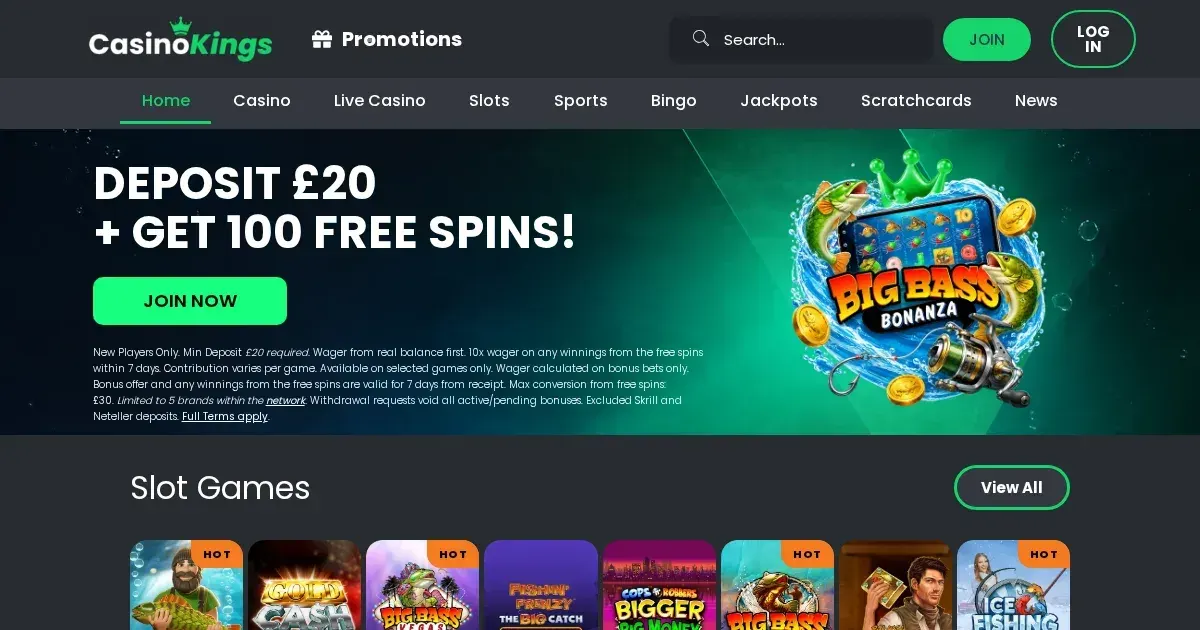
The 100 Free Spins welcome offer (minimum deposit £20, 10× wagering, £30 max conversion) is available whether you register on desktop or mobile. Your bonus status, wagering progress and active offers are synced across both platforms, using the same account.
Are live dealer games playable on a small screen?
Live tables from Pragmatic Play and other providers work on mobile, though the chat panel, bet history and side-bet options are often hidden behind collapsible tabs. Video quality scales down to match your connection, and a stable 4G or Wi-Fi signal is essential to avoid interruptions mid-hand.
Game Providers